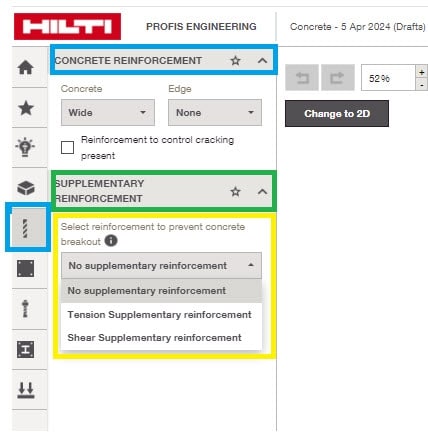
When I first create a new project there is the option under the 'reinforcement' tab to include supplementary reinforcement, however once I start inputting values for the connection (e.g. base plate size, bolt location etc) this option for supplementary reinforcement is no longer available. How can I find the supplementary reinforcement option? What settings are required to turn this on?
Thanks for your question, when you have your model open on the left hand side there are a series of icons, one of these is representing reinforcement. click this and it takes you to a Concrete Reinforcement header. You'll see another option Supplementary Reinforcement with a drop down box where you can select No supplementary, Tension supplementary or Shear supplementary reinforcement. As per the screen shot attached.